


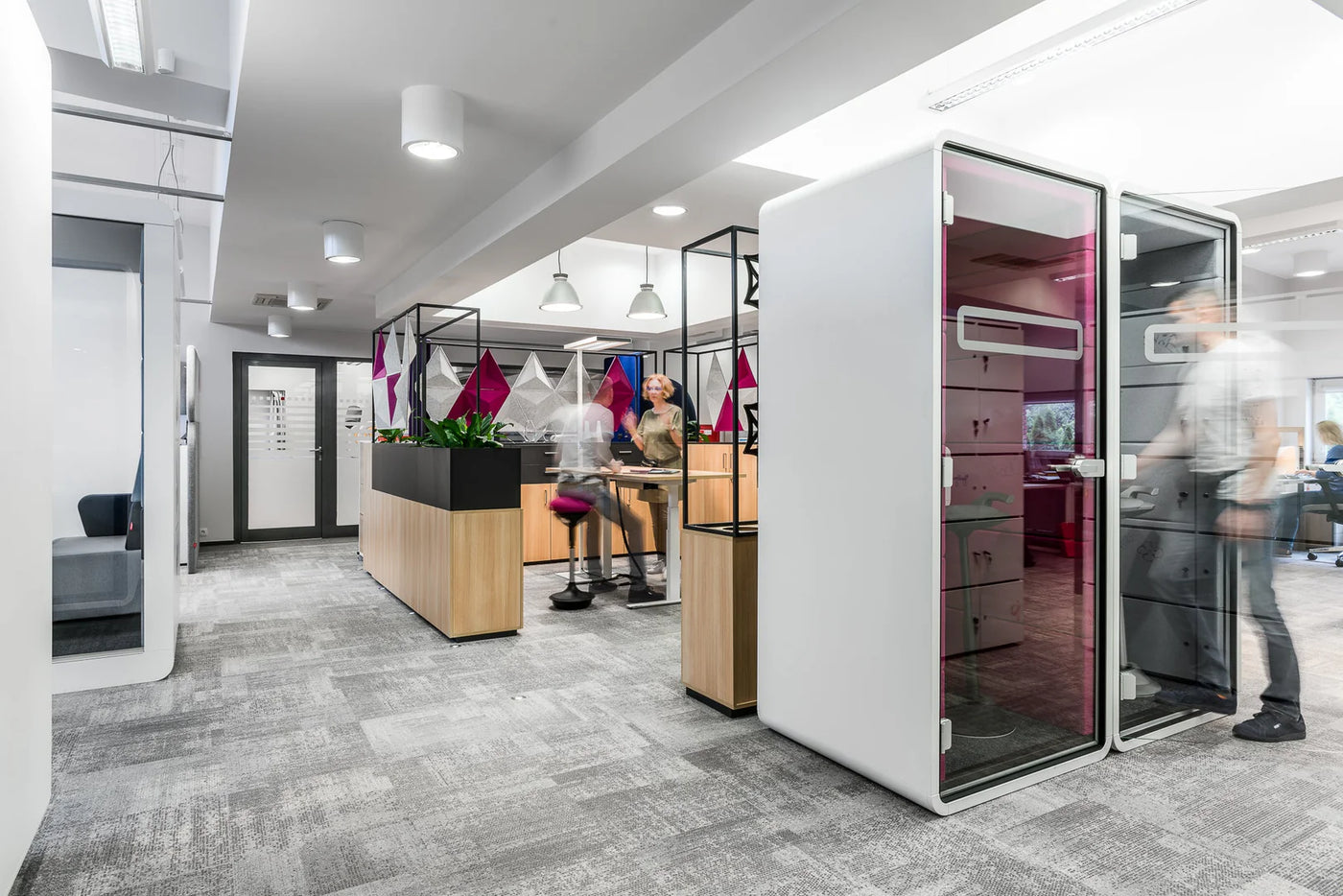
Typing is giving way to talking
Speech-to-text dictation is fast. Speaking a prompt is often quicker than typing one, and a live, back-and-forth voice conversation with an AI assistant can feel like thinking out loud with a colleague. Many teams are already working this way, and more will follow.
It is already changing how offices sound. The Wall Street Journal has reported on workplaces getting noticeably louder as staff switch from typing to talking, and the discussion on LinkedIn has turned to etiquette: where voice work should happen, and how teams protect focus time.
But most offices were laid out for keyboards. Open-plan floors, bench desks and shared tables work well when people type quietly. They work far less well when everyone is speaking to a screen.
Three problems with talking to AI in an open-plan office
-
Noise and etiquette
One person dictating is a phone call that never ends. Ten people doing it, and a focused floor starts to sound like a call centre. The colleagues trying to concentrate pay the price, and nobody is sure what the new rules are.
-
Privacy
What you say to an AI tool, everyone nearby can hear. Client names, contract terms, salaries, HR matters, sales figures and half-formed ideas all get spoken out loud at the desk.
-
Accuracy
Microphones pick up the people around you. Background chatter and crosstalk lead to more transcription errors, more corrections and voice assistants that mishear what you asked.
There is a human side too. Many people feel self-conscious speaking to software in front of colleagues, so they simply don't, and the time savings voice tools promise never arrive.
Headsets help. They don't fix the room.
Noise-cancelling headsets and good microphones are a sensible first step, and many teams are already handing them out. A headset stops you hearing the office. It doesn't stop the office hearing you.
A close microphone lets people speak more quietly and improves transcription, but every word is still audible to the people around them. For long dictation sessions, live AI conversations and anything confidential, people need a door they can close.
Where should voice work happen?
-
Quiet focus areas
Keyboard-only zones for deep work. No dictation, no voice AI, no calls.
-
Voice-friendly zones
Areas with acoustic panels and desk screens where short prompts and quick dictated replies are fine.
-
Booths and pods
Closed, ventilated spaces for long dictation sessions, live AI conversations and anything confidential.
5 ground rules for voice AI in the office
Practical norms you can adopt this week, before any furniture arrives:
- Agree where voice work happens. Mark quiet focus areas as keyboard-only, and say where voice is welcome.
- Keep desk dictation short. A quick prompt or reply at the desk is fine. Anything longer than a few minutes moves to a booth or pod.
- Never dictate confidential material on the open floor. Client names, HR matters, salaries and contract terms belong behind a closed door.
- Make private space easy to use. If booths are hard to find or always taken, people will dictate at their desks anyway.
- Use a headset microphone. It lets people speak more quietly and improves transcription accuracy.
Revisit the rules as voice tools spread. Our voice-readiness review helps you turn them into a layout that works.
What Prompt Easy includes
Prompt Easy is a complete workplace service from Furnify. We look at how your people use voice, then plan, supply and install the right mix of private spaces and acoustic treatment.
Compare solutions
Find the right workspace solution — from solo focus to full-team meetings.
-
 1 Person Work Booth
Prompt Pod
- Swivel seat
- External walls: Upholstered
- Metal base
- Screen surround
Dimensions (W×D×H) 1374 × 808 × 1376 mmSurround screen UpholsteredWorktop Integrated worktopOutlets Bachmann PIX AC- 1 x USB-C portsOpen Booth Semi-enclosedOccupancy 1 person -
 2 Person Pod
C42 Video Conference Pod
- Class A speech ISO 23351-1
- Motion sensor LED lighting
- Motion-sensor ventilation
- Integrated castors for easy relocation
Dimensions (W×D×H) 1440 × 1400 × 2310 mmAcoustic rating Class A ISO 23351-1Airflow Double-redundancy fans.Lighting 6500 K, 500 lux at desk levelGlazing Tempered laminated acoustic glassFire provision Sprinkler & DSO signal readyOccupancy 1–2 people -
 1 Person Pod
Framery One
- Class A speech level reduction of 30dB – and the industry’s top ISO 23351-1
- Electric sit-stand work desk
- Integrated sound masking system
- Adjustable ventilation
Dimensions (W×D×H) 1220 × 1000 × 2255 mmExterior Powder-coated matt steelGlazing GLASS sound-control laminated glassLighting Dual adjustable 4000K LED lightingAirflow (max) Maximum airflow of 29 l/sPower inputOutlets 1 x power outlet, 1 x USB-C portSeating Height-adjustable stoolOccupancy 1-person pod


-
1. Voice-readiness review
We visit your office, talk to your team about how they use dictation and voice AI, and map where the noise and privacy pressure points are.
-
2. Right-sized private spaces
Single-person phone booths for quick prompts, focus pods for long dictation sessions, and two-person pods for working through an AI conversation together.
-
3. A quieter open floor
Acoustic panels, desk screens and layout changes that take the edge off everyday voice use at the desk.
-
4. Installation and aftercare
Our own team delivers and installs everything, then services your pods so ventilation, lighting and power keep working as they should.
The right space for each voice task
| How your team uses voice | Typical session | Best fit |
|---|---|---|
| Quick spoken prompts and short dictated replies | A few minutes | Phone booth, such as the Penelope or Hush Phone Booth |
| Dictating reports, proposals and long emails | 30 minutes or more | Work pod with a desk, such as the Framery One or Calma For One |
| Live voice conversations with an AI assistant | Open-ended | Work pod, or a sit-stand workstation pod such as the Framery One Work |
| Talking through code with coding agents such as Claude Code or Codex | An hour or more | Work pod with a desk, such as the Framery One |
| Two people working through an AI session together | 30 to 60 minutes | Two-person pod, such as the C42 Video Conference Pod |
| Light, occasional dictation away from the desk | Moments | Desk screen booths and acoustic panels on the open floor |
Not sure which mix you need? That's what the voice-readiness review is for.
How it works
-
1. Talk to us
Tell us about your office, your team size and how people are using voice tools today.
-
2. Review
We visit, measure up and identify where private space is needed most.
-
3. Proposal
You get a clear recommendation with layouts, product options and a fixed price.
-
4. Install
Our own installers fit everything with minimal disruption, out of hours if you need it.
-
5. Aftercare
We service and support your pods so they keep performing.
Why Furnify
Furnify has supplied and installed commercial office furniture since 2016, with more than 500 installations behind us. We specialise in acoustic pods from leading manufacturers including Framery, Hushoffice and JDD, and because our own team handles installation and servicing, you deal with one company from first conversation to aftercare.
A pod stops a conversation from being overheard. It doesn't change where your AI tool sends or stores data, so pair Prompt Easy with your own IT and data policies.
Prompt Easy FAQs
What is Prompt Easy?
What is Prompt Easy?
Prompt Easy is Furnify's workplace service for the age of voice AI. We review how your team uses dictation and voice assistants, then supply and install private pods, phone booths and acoustic treatment so people can speak to AI without being overheard or disturbing others.
Why do offices need private space for voice AI?
Why do offices need private space for voice AI?
Speech-to-text dictation and live voice tools such as ChatGPT Voice Mode and Gemini Live mean people are speaking sensitive information out loud at their desks. Private spaces protect confidentiality, keep the open floor quiet and help transcription accuracy by cutting out background voices.
Is dictating at your desk bad office etiquette?
Is dictating at your desk bad office etiquette?
Not in itself. A short prompt or a quick dictated reply is no louder than a brief phone call. It becomes a problem when it is constant, long or confidential. Agree a few simple ground rules and give people a closed space for longer sessions.
How do we set ground rules for voice AI at work?
How do we set ground rules for voice AI at work?
Start with three questions: where voice work can happen, how long desk dictation should last, and what must never be said on the open floor. The ground rules on this page are a good starting point, and our voice-readiness review helps you match them to your layout.
Can't people just use headphones?
Can't people just use headphones?
Headphones stop you hearing others, but they don't stop others hearing you. A good headset microphone helps with accuracy, but the content of what you say is still audible to everyone nearby.
Does background noise really affect dictation?
Does background noise really affect dictation?
Yes. Microphones pick up nearby speech and general office noise, which can lead to more transcription errors and voice assistants mishearing requests. A quiet, enclosed space gives the clearest audio.
How many pods will we need?
How many pods will we need?
It depends on headcount, how often people use voice tools and how long their sessions last. The voice-readiness review gives you a recommendation based on how your team actually works.
Do the pods have power and ventilation?
Do the pods have power and ventilation?
The pods we recommend include built-in power, lighting and ventilation, so they are comfortable for long dictation sessions and live AI conversations.
Will Prompt Easy make our AI tools secure?
Will Prompt Easy make our AI tools secure?
Prompt Easy protects what is said in the room. It doesn't change how your AI software handles data, so we recommend pairing it with your organisation's IT and data protection policies.
Should people just dictate from home instead?
Should people just dictate from home instead?
Home works for some voice tasks, but it doesn't help on office days, and it shouldn't be the only place people can use the tools they rely on. Private space in the office means nobody has to choose between using voice AI and coming in.
Do you cover our area?
Do you cover our area?
We work with businesses across London and the UK. Get in touch and we'll confirm availability and lead times for your location.
Give your team somewhere to speak easy
Book a voice-readiness review and we'll show you where private space will make the biggest difference.
Prefer to talk? Call us on 020 7632 7573.